Scheme: describing your steps in your experiment
Before you lose your patience, please just allow us to show you the following feature: cool, right?
German translation of reagents in development
Configuration of shortcut keys (snippets)
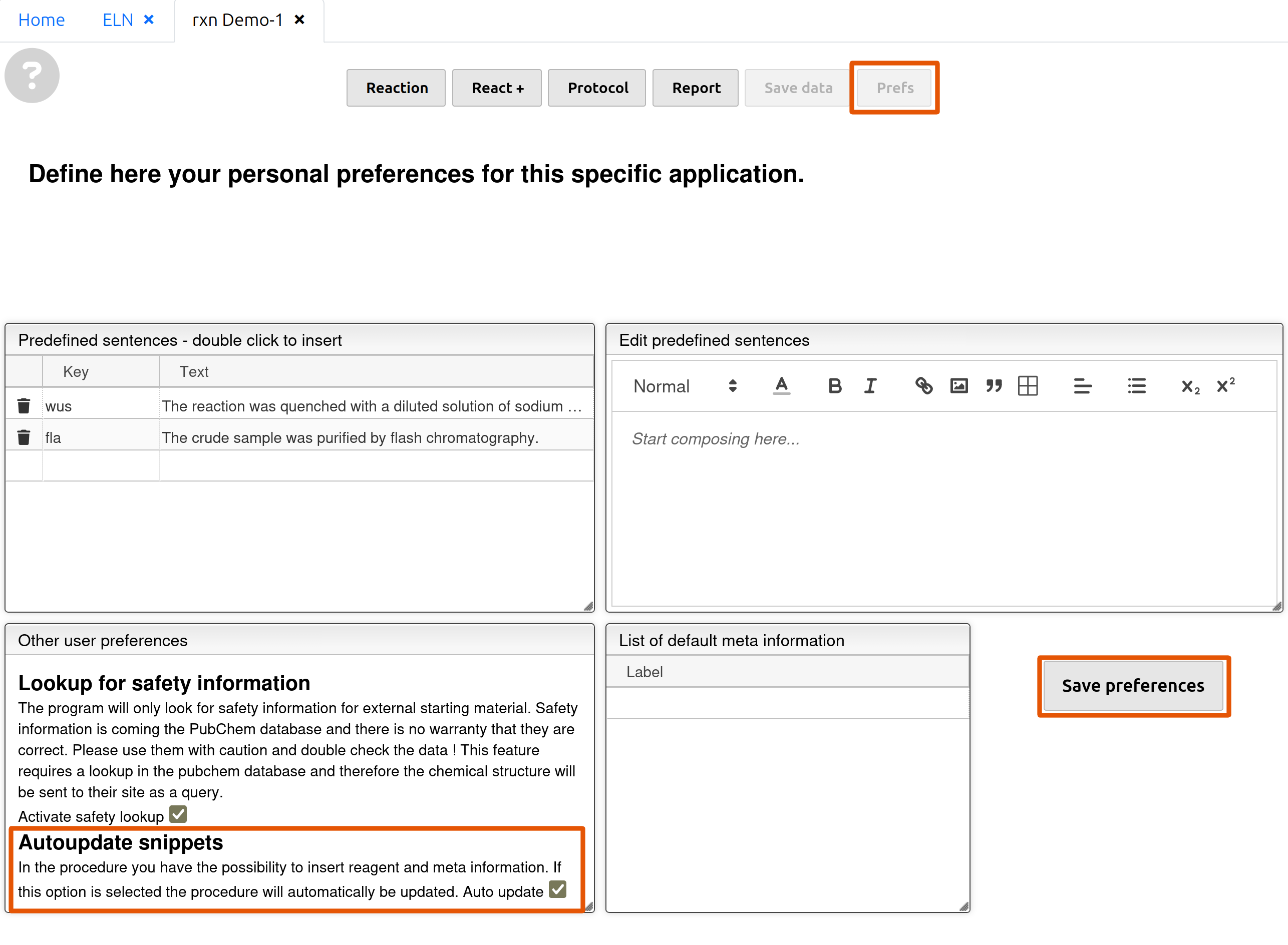 Go to 'Prefs' and check the box in 'Autoupdate snippets'. Click 'Save preferences'.
Stay on this page. Here we do all the configuration.
Video: thorough walkthrough
Predefined sentences
- Customize and add your own key inside the box 'Predefined sentences' on the left. Beware: umlauts (ä, ö, ü) are not applicable!
- Enter / Edit your predefined sentence on the right without the keys (e.g.
r1). Placeholders (e.g. '[ ]' in the clip) for them are nevertheless recommended.Note: keys like
r1or_temp1do not work inside a predefined sentence. Unlike in the main text, placeholders inside a predefined sentence will not be replaced with your customized values/text. - The predefined sentence is now shown on the left. To use it simply type your customized key inside the main text box in 'Reaction' then hit 'Space'/'Tab'/'Enter'.
Meta information _metainfo
This is meant for storing information of reaction conditions such as temperature and reaction time. Any other sorts of customization is also possible.
- Click
 on the right and customize your own key in lower case.
 - Enter your customized value or text inside the slot on the right of the key. Don't forget your unit (e.g. °C)!
- To use your key from Meta information: type
_and your key then hit 'Space'/'Tab'/'Enter' inside the main text box.
Test your configuration and the automatic input of Reagents r
- Return to 'Reaction' and scroll to the main text box. On the right side of the main text box you may see the previously configured predefined sentences and meta information.
- Inside the text box simply type your customized key of your predefined sentence(s), type
_and your key of the meta information configured then hit 'Space'/'Tab'/'Enter'. For reagents typerand the corresponding ID (1,2, ....) as listed above and hit 'Space' / 'Tab' / 'Enter'.After the insertion of the snippet (predef. sentences/meta info./reagent) a space is automatically inserted after the character, where you hit your key for insertion. To avoid that simply insert one space before the next character.
- To amend the predefined sentences, go back to 'Prefs'; to amend meta information, change the values/text directly on the right; reagents ID cannot be modified.